
Please note that you will need the activation serial number of your Edenred payment card (10 digits) to reset your account. You can find it in your email or on the back of your physical card. If you have multiple Edenred benefits, you can use any of your serial numbers. If you can't find it, our customer service can assist you by phone. Contact details can be found at edenred.fi/contact-us .
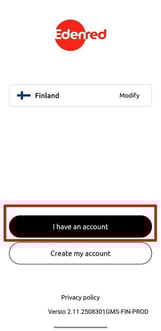
1. Open the Edenred app and select 'I have an account'.
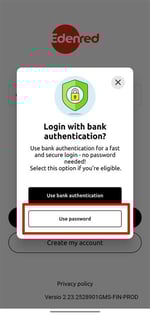
2. Choose 'Use password'.
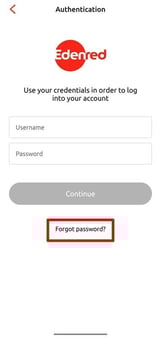
3. Choose 'Forgot password?'.
4. At the bottom of the password recovery page, click Reset your account.
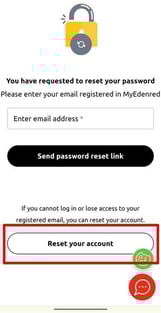
4. Follow the instructions on the screen. The email address you enter at this stage will become your username.* The username becomes active after the account verification.
*We recommend using a personal email address instead of your work email. This way, you can access the app even during absences and log in with the same credentials even if you change employers.
Remember to confirm your email address using the link sent to your email. The link is valid for 24 hours. If the email address is not confirmed, for example, password reset messages will not be delivered. If for some reason you are not able to confirm your email address, check here for instructions.
And don't worry, despite resetting your account your balance will remain on the card.